
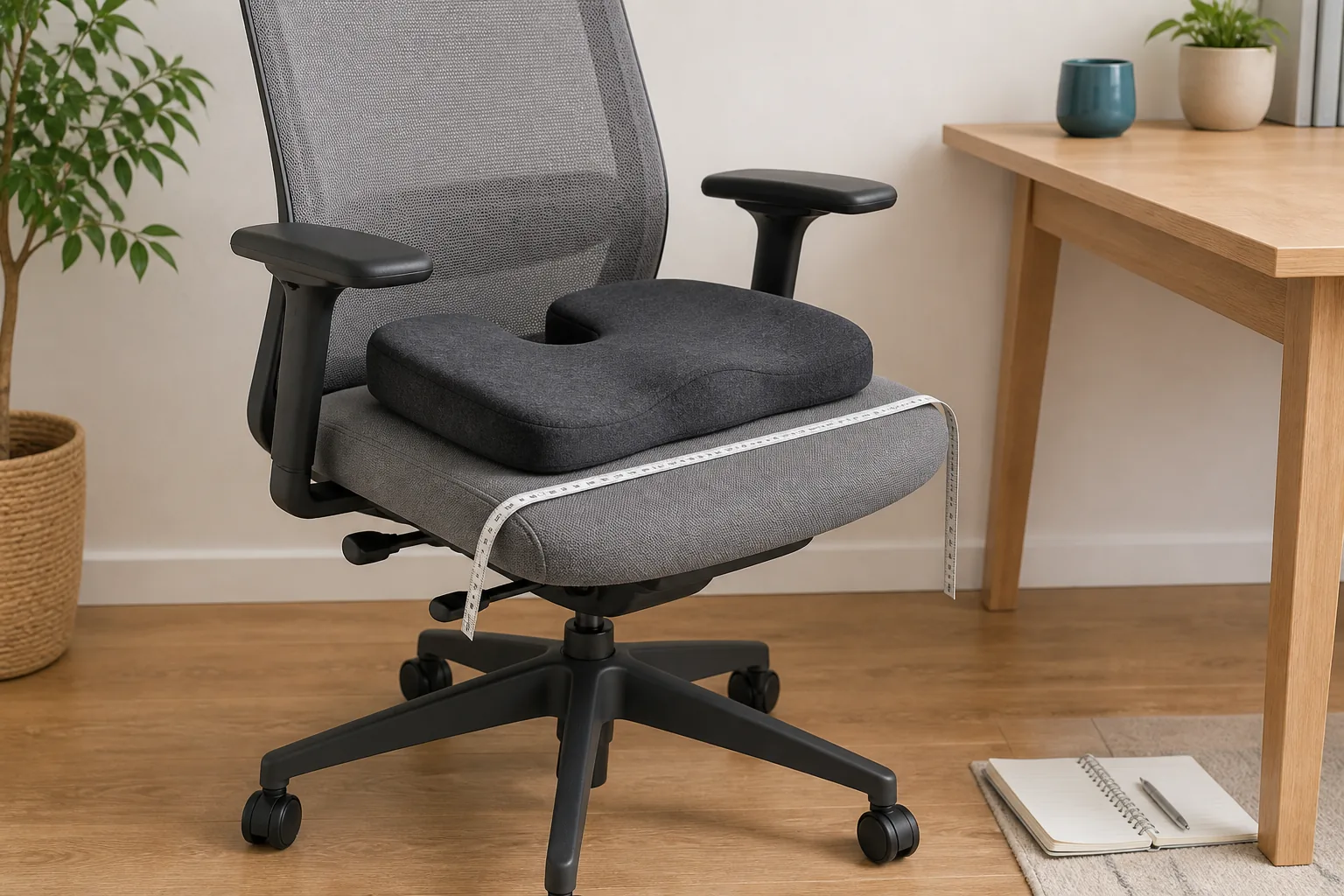
The short answer: measure the usable chair width and depth, place the cushion squarely without overhang or rocking, then reassess the whole setup. Your feet or a stable footrest, backrest contact, desk clearance, armrests, controls, and ability to move safely should still work after the cushion adds height and changes the usable seat depth.
A cushion does not fit simply because it can be placed on a chair. It becomes part of the seat, so it can raise the body, move you forward from the backrest, reduce the space beneath a desk, or change how securely you contact the chair. A short measurement and trial routine is more useful than a universal “ergonomic” label.
Record the chair before adding anything
| Check | How to assess it | What can change |
|---|---|---|
| Usable width | Measure the flat area between armrests or raised side edges. | An over-wide cushion can curl, tilt, or obstruct controls. |
| Usable depth | Measure from the supportive backrest area to the front seat edge. | An over-deep cushion can overhang or press near the back of the knees. |
| Seat height | Record the current seat-to-floor height and cushion’s uncompressed profile if verified. | Added height changes foot contact, desk relationship, and headroom. |
| Backrest contact | Sit back normally and note whether the backrest remains reachable. | A thick cushion can move the user forward and reduce back support. |
| Base and movement | Check that the chair is stable, rolls or swivels normally, and permits an easy exit. | A shifting support or obstructed control can make the setup less safe. |
| Work surface | Check thigh clearance, armrest clearance, keyboard reach, and shoulder position. | Raising the seated position can make the desk effectively too low. |
A seven-step chair-fit check
- Choose a stable chair. Do not use a cushion to compensate for a damaged, rocking, or unsuitable chair.
- Measure the usable seat. Record width, depth, slope, armrest spacing, and any raised edge or control.
- Inspect the cushion. Confirm its current dimensions, orientation, underside, straps if supplied, and intended use. Leave unknown values unknown.
- Position it squarely. The support should lie flat and remain clear of adjustment levers, wheels, hinges, and the chair edge.
- Re-adjust the chair. Lower the seat if appropriate, then check foot support, backrest contact, armrests, and desk clearance.
- Try a short normal task. Reach the keyboard or work surface, turn, stand, and sit again. The cushion should not slide, bunch, or make exiting difficult.
- Stop and reassess. Remove it if the setup becomes unstable, creates concentrated pressure, interferes with controls, or causes new or worsening discomfort.
Why added height changes the whole workstation
The US Occupational Safety and Health Administration’s computer-workstation guidance says the chair, monitor, keyboard, and desk should be adjusted together. OSHA’s chair guidance also emphasizes a seat that allows the feet to rest flat on the floor or a footrest, a backrest that supports different seated positions, and seat depth that supports the thighs without contacting the backs of the knees.
A cushion can change each of those relationships. If your feet no longer reach stable support, use an appropriate footrest or reconsider the setup. If the cushion pushes you away from the backrest, a smaller or differently shaped support may fit better. If your thighs contact the desk or your shoulders rise to use the keyboard, adjusting only the cushion will not solve the work-surface mismatch.
Check stability and pressure, not just softness
Softness is subjective and can change as foam warms or compresses. Fit problems are more observable: overhang, rocking, a curling edge, a strap under excessive tension, a centre opening in the wrong position, contact near the backs of the knees, or a cushion that moves when you turn or stand.
Do not stack several cushions unless their instructions explicitly describe that use. Stacking increases height and can create sliding surfaces. Do not cover damaged upholstery, exposed mechanisms, or an unstable base and assume the cushion repairs the chair.
Change position instead of chasing one perfect posture
OSHA’s workstation-position guidance notes that even a good working posture should not remain fixed for prolonged periods. Small chair or backrest adjustments, periodic standing, walking, and task variation can matter. A seat cushion is not a reason to remain in one position longer, and it cannot guarantee posture correction or prevent pain.
Persistent pain, numbness, weakness, swelling, or a condition that affects safe sitting needs qualified medical or occupational advice. A product comparison cannot diagnose the cause or prescribe a seating solution.
Desk-chair fit does not prove vehicle fit
A desk trial cannot establish that the same cushion is safe in a vehicle. Vehicle use must preserve the seat belt path, airbag and restraint operation, headrest relationship, visibility, pedals, steering, seat controls, and a secure driving position. Follow the vehicle and cushion manufacturers’ instructions and applicable rules. If any restraint or control is affected, do not use the cushion there.
Keep product claims separate from the fit method
A product name or “ergonomic” label cannot establish compatibility with a particular chair. Use current dimensions, materials, attachment details, care instructions, and intended-use information from the seller, then apply the same stability and clearance checks described above.
If a product record omits an essential dimension or material, leave that fact unknown and ask the seller before ordering. A seat cushion is a comfort accessory, not a medical device, and should not be claimed to fix posture or treat back pain.
Seat-cushion fit questions
Should the cushion fill the entire chair seat?
Not necessarily. It should fit the usable surface securely, support the intended area, and remain clear of edges, controls, and the backs of the knees. Follow the product’s verified dimensions and orientation.
What if my feet no longer rest flat?
Re-adjust the chair if its safe range permits. A stable footrest may be appropriate when the work surface cannot be adjusted, as OSHA guidance notes. If the overall setup cannot be made stable and comfortable, remove the cushion.
Can a contoured cushion correct my posture?
No correction or treatment outcome should be guaranteed. A contour changes contact and may change perceived comfort, but chair adjustment, task, movement, body dimensions, and individual needs all affect the result.
A final fit record
- Chair name or location
- Usable seat width and depth
- Armrest spacing and seat-edge shape
- Seat height before and after placement
- Foot or footrest support
- Backrest and headrest contact
- Desk, thigh, armrest, and control clearance
- Whether the cushion shifted during sitting, turning, standing, or rolling
- Any unresolved dimension, material, or compatibility question
Sources and evidence limits
- US Occupational Safety and Health Administration, Computer Workstations: Chairs—official workstation guidance on seat depth, backrests, adjustability, foot support, and chair fit.
- US Occupational Safety and Health Administration, Computer Workstations: Positions—official guidance on supported working positions and changing position during the day.
- US Occupational Safety and Health Administration, Computer Workstation Evaluation Checklist—a practical check covering seat dimensions, back support, feet, clearance, and work-surface relationships.
Editorial note: OSHA’s material is workplace guidance, not an endorsement of Ovio or proof that one cushion fits every chair. This guide is general fit information, not medical, vehicle, or occupational-safety advice for an individual situation.